
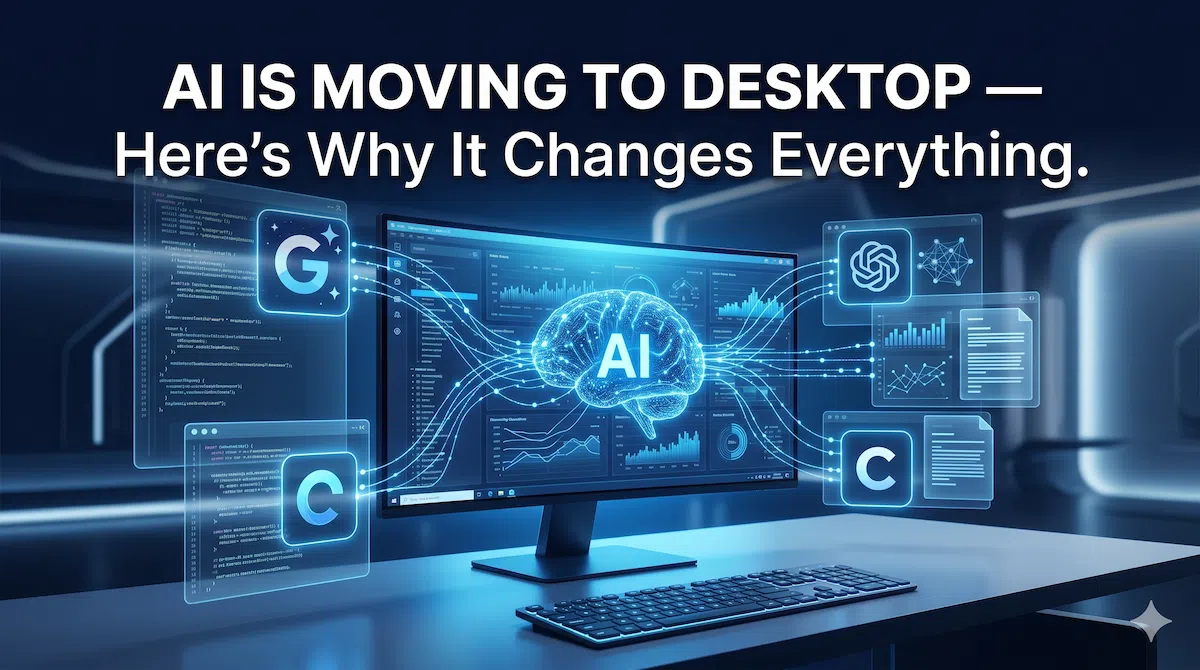
For the last few years, most people’s experience with AI was simple: open a browser tab, type a question, get an answer, close the tab. Maybe a mobile app on the side. But something significant is happening in 2026 — Google, OpenAI, and Anthropic are all pushing hard into native desktop apps, and this isn’t just a platform change. It’s a fundamental shift in how AI fits into your work.
What Just Happened — and Why It Triggered This Shift
The most visible signal came just three days ago. Google launched a native Gemini app for Mac, making it the last of the three major AI services to have a dedicated desktop app — both ChatGPT and Claude had been on Mac for some time already.
But Google wasn’t the only one moving. OpenAI has announced plans to combine its web browser, ChatGPT app, and Codex coding app into a single desktop super app, with the goal of streamlining the user experience and reducing fragmentation. Meanwhile, OpenAI updated its Codex desktop app with “Computer Use” — a feature that allows it to “see, click, and type” across all applications on a machine, breaking out of the traditional chatbot container entirely.
All three major AI companies are betting on the same thing: the real value of AI is unlocked on desktop, not mobile.
Why Desktop Changes Everything
The core difference comes down to context. Mobile AI is great for quick queries — checking facts, sending a message, asking a one-off question. But desktop AI has access to something mobile simply can’t match: your full working environment.
Gemini’s new Mac app can share your screen directly with the AI, allowing it to “see” anything on your screen — whether it’s a document, design, or webpage you’re working on — bypassing the need to manually copy and paste text or images. That’s a fundamentally different kind of interaction. You’re not describing your problem to AI. You’re showing it.
The screen-sharing capability is the most immediately useful part of these desktop apps: you can ask the AI about the actual document you have open or the specific error showing on your terminal — a clear step up from copying and pasting text into a chat window.
This matters because real work happens on desktop. Coding, spreadsheets, writing, design, data analysis — none of these workflows live on a phone screen. An AI that can see your spreadsheet, read your code, and understand your document in real time is an AI that can actually help you finish work, not just answer questions about it.
From Tool to Collaborator — The Behaviour Shift
The deeper story here isn’t about apps. It’s about how human behaviour around AI is changing.
Mobile AI created an “ask and leave” pattern — you open an app, ask something, get an answer, and move on. Desktop AI is pushing toward something more like a permanent working layer. The two headline features driving this are global shortcuts and screen sharing — summoning AI from anywhere on your desktop without switching tabs, and pointing it at whatever you’re working on.
Even browser makers like Opera are responding to this shift, launching features that give AI services access to a user’s live browsing context — including open tabs and active page content — rather than relying on text copied into a chatbot.
When AI is always one keyboard shortcut away, it stops being a tool you occasionally consult and starts becoming a collaborator that’s always present in your workflow. That’s a meaningful change in the relationship between users and AI.
The Desktop AI Battle Is Just Getting Started
The competition between Google, OpenAI, and Anthropic is shifting in an important direction. It’s no longer just about which AI gives the best answer to a question. It’s about which AI integrates most deeply into how you actually work.
Each company reflects a different philosophy: Anthropic’s Cowork is an agentic tool built for autonomous execution against local files; OpenAI’s Codex targets developers running multi-step coding tasks; Google is offering a generative platform available on demand from any screen. Three different visions of what “desktop AI” should mean — and all three are advancing rapidly.
For enterprises, this matters enormously. Businesses don’t run on mobile apps. They run on systems, software, and infrastructure. An AI that works within that environment — reading real documents, updating real files, operating across real workflows — is far more valuable than one that lives in a separate app you have to switch to.
What This Means for You
If you’re a developer, desktop AI tools are already shortening the gap between writing and shipping. AI that sees your code, understands your errors, and suggests fixes in real time is closer to a pair programmer than a search engine.
If you work in business, the automation potential is significant. The days of manually summarising documents, reformatting data, or switching between five apps to complete one task are becoming optional rather than necessary.
If you’re a regular user, the biggest benefit is simply focus. Less copy-pasting, less context-switching, less explaining your problem from scratch every time.
The Challenges Worth Watching
This shift doesn’t come without real concerns. Giving an AI access to your screen and local files is a significant trust decision. Privacy risks are real — especially in enterprise settings where sensitive data is always on screen. Security vulnerabilities in AI desktop apps could expose far more than a leaked chat conversation. And as these tools become more capable, the risk of over-reliance grows.
These are not reasons to avoid desktop AI. They are reasons to use it with eyes open.
The Bottom Line
The move of AI to desktop is not a product launch. It’s a signal about where AI is heading — from a chat interface you visit, to an operating layer you work within. Google describes its desktop release as “just the beginning,” and it’s building the foundation for a “truly personal, proactive, and powerful desktop assistant” with more features to come.
The race between Google, OpenAI, and Anthropic for your desktop is intensifying. And unlike the mobile AI race — which was mostly about convenience — this one is about capability. Who can help you do more, not just answer more.
That’s a fundamentally more interesting competition. And it’s only just starting.
FAQs
Q1. Why are AI companies launching desktop apps in 2026?
Because real productivity happens on desktop — not mobile. Desktop AI can access your screen, read local files, and work across multiple apps simultaneously, making it far more useful for actual work than a browser tab or mobile app.
Q2. Which AI has the best desktop app right now — ChatGPT, Gemini, or Claude?
All three are strong but different. ChatGPT’s Codex app leads for developers with its “Computer Use” feature. Claude excels at document and coding workflows. Gemini is the newest on Mac (launched April 15, 2026) and is best for Google Workspace users. The “best” depends on your work style.
Q3. Is it safe to give AI apps access to my screen and files?
It depends on how you use it. For personal productivity, the risk is manageable. For enterprise use, you should review the app’s data and privacy policy carefully before enabling screen or file access — especially if sensitive business data is regularly on your screen.
Q4. Does Gemini’s Mac app work on older Macs?
No. The Gemini Mac app requires macOS 15 or above. Older Macs running macOS 14 or earlier, and all Intel-based Macs, are not supported. You can still use Gemini through a browser on unsupported devices.
Q5. Will AI desktop apps replace traditional software like Excel or Word?
Not replace — but deeply integrate with them. The goal of desktop AI is to work inside your existing tools, not replace them. Think of it as an always-on assistant that understands what you’re doing in Excel or Word and helps you do it faster.