
Key Takeaways
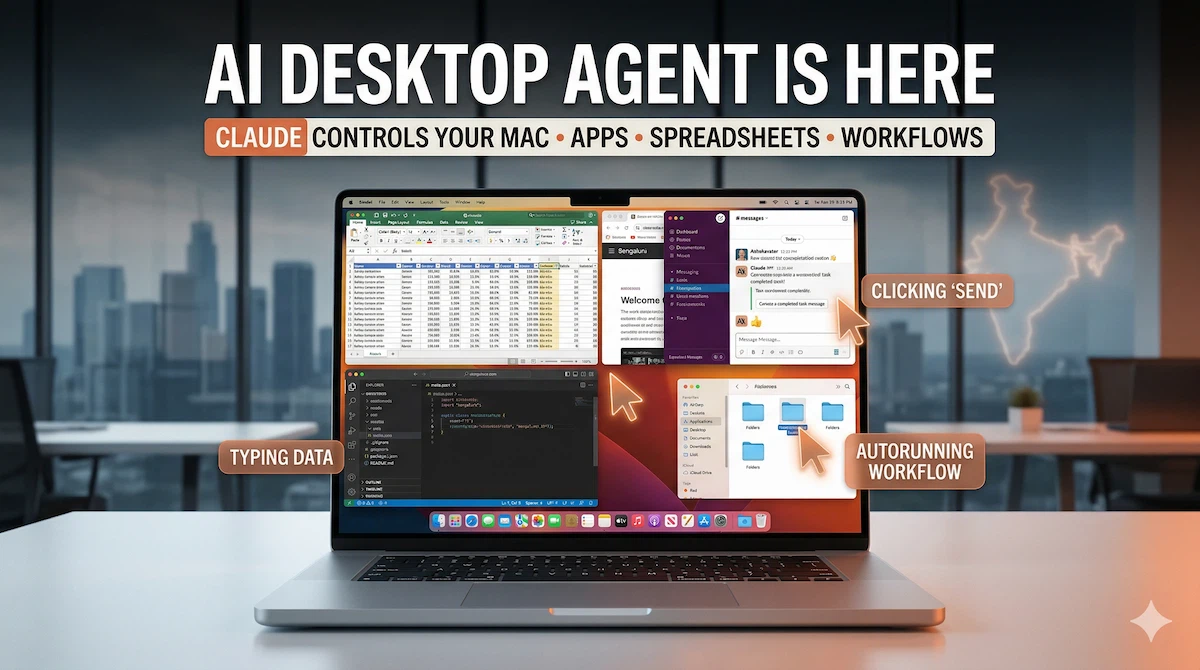
- Anthropic launched Claude computer control feature March 23, 2026, enabling AI to autonomously control desktop computers—pointing, clicking, opening applications, editing spreadsheets, filling forms, and navigating browsers exactly like human users — Available initially on macOS through Claude Cowork and Claude Code applications in research preview requiring Claude Pro or Claude Max subscriptions, with Windows x64 support announced for near-term release, feature allows developers to delegate repetitive desktop tasks to AI while focusing on higher-value coding work
- India is emerging as one of Claude’s fastest-growing developer markets, with a significant share of usage coming from software and web development workflows —highest developer usage percentage of any country worldwide — Anthropic CEO Dario Amodei announced Bengaluru office opening in early 2026 during India visit this week, citing India as critical market where computer control feature could dramatically accelerate growth among India’s export-focused IT services industry currently employing over 5 million engineers across companies like TCS, Infosys, Wipro, and HCL Technologies
- Computer control operates through “Dispatch” remote task execution feature allowing developers to delegate desktop automation tasks from mobile devices, addressing India-specific challenge of long commute times averaging 2+ hours daily in cities like Bengaluru and Mumbai — Feature uses app-specific connectors for Google Workspace, Slack, and other supported applications when available, automatically finding workarounds through UI manipulation when connectors unavailable, enabling automation of tasks that previously required constant desktop presence and manual intervention
Anthropic’s computer control launch on March 23, 2026 represents one of the first widely accessible AI systems capable of operating a desktop computer autonomously without requiring custom integrations or APIs. Unlike previous automation tools that scripted specific workflows or relied on application programming interfaces, Claude sees the screen, understands interface layouts, and manipulates applications the same way humans do—through mouse clicks, keyboard input, and visual navigation.
The timing coincides with Anthropic’s strategic expansion into India, where CEO Dario Amodei is visiting this week to announce the company’s Bengaluru office opening and meet with government officials regarding AI governance frameworks. India has emerged as Anthropic’s second-largest market globally for Claude usage, driven primarily by the country’s massive software developer population and export-oriented IT services industry.
How Computer Control Actually Works
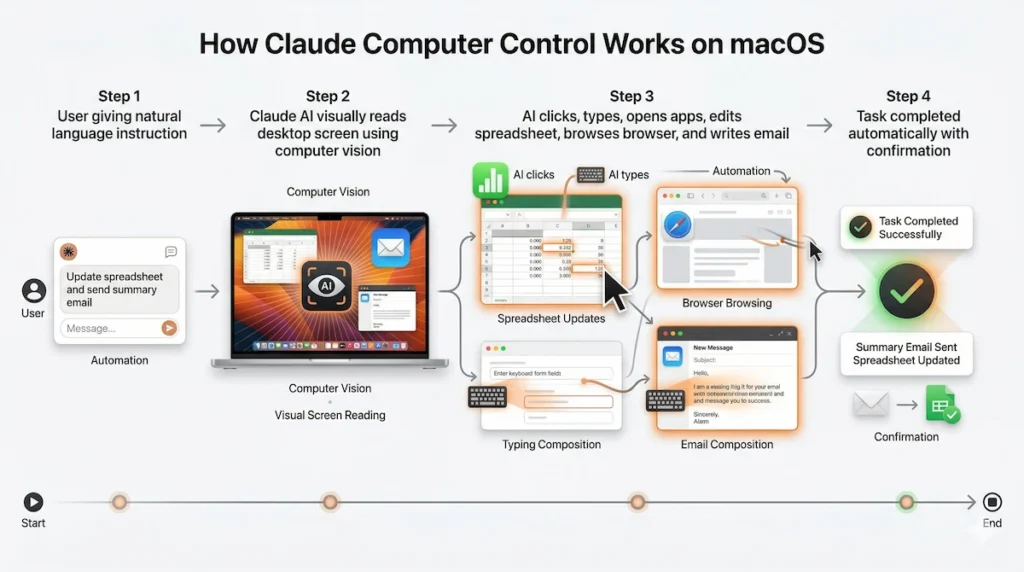
Computer control enables Claude to perform any task executable on a desktop computer through visual interface manipulation. When a user requests “Update the Q3 sales data in this Excel spreadsheet and email the summary to the team,” Claude autonomously opens Excel, locates the relevant spreadsheet file, navigates to appropriate cells, updates values based on provided data, calculates summary statistics, composes an email in the default mail application, attaches the updated spreadsheet, and sends the message—all without human intervention beyond the initial instruction.
The system operates through computer vision analyzing screen content combined with UI automation controlling mouse and keyboard. For supported applications like Google Workspace (Docs, Sheets, Gmail), Slack, and common productivity tools, Claude uses purpose-built connectors enabling faster, more reliable automation. When connectors are unavailable—for custom enterprise software, legacy applications, or niche tools—Claude falls back to visual UI manipulation, reading on-screen elements and determining appropriate click locations and input sequences.
The “Dispatch” feature announced alongside computer control addresses a distinctly mobile-first use case. Developers can initiate desktop automation tasks from Claude mobile app while commuting, in meetings, or away from their computers. Claude Desktop app running on their Mac receives the dispatched task and executes it remotely, with progress updates and results delivered back to mobile. This architecture particularly benefits Indian developers facing long commute times (often 1–2+ hours daily in cities like Bengaluru and Mumbai)—creating extended periods where developers are mobile but still want work progressing on desktop machines.
India Developer Market Dominance
Anthropic’s emphasis on India reflects hard usage data showing Indian developers have adopted Claude more intensively than any other national cohort. Of all Claude usage in India, 45.2% involves software development and web development tasks according to company disclosures. By comparison, global average for development-focused Claude usage sits around 30%, with most other countries showing broader distribution across writing, research, analysis, and general productivity.
This developer concentration stems from India’s unique position in global software services. The country produces approximately 1.5 million engineering graduates annually, with roughly 5.4 million currently employed in IT and software services. Companies like Tata Consultancy Services alone employ over 600,000 engineers, Infosys approximately 350,000, Wipro 240,000, and HCL Technologies 220,000. These organizations serve global clients through a combination of offshore development centers in India and onsite teams deployed to client locations.
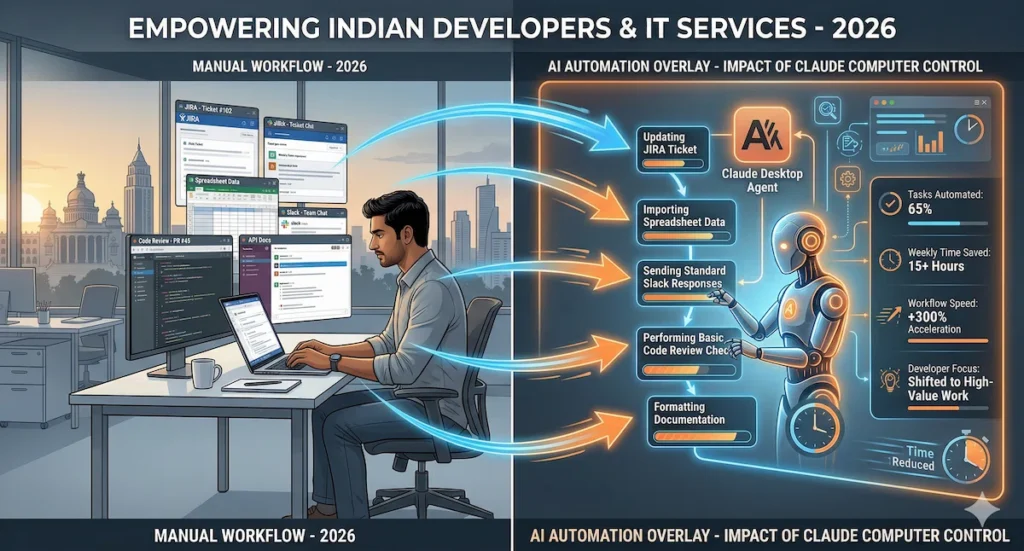
For these developers, desktop automation through Claude computer control directly impacts productivity and competitive positioning. Tasks consuming significant time in typical development workflows—updating JIRA tickets, filling timesheets, generating status reports, transferring data between project management tools, creating documentation from code changes, running test suites and logging results—become automatable without writing custom scripts or waiting for IT department approvals to integrate tools.
Anthropic explicitly cited potential to “dramatically accelerate growth among India’s export-focused IT services industry” in materials accompanying the computer control announcement. TCS disclosed in recent quarterly results that its developers generate over 28 million lines of code annually using AI-assisted tools, representing approximately 15% of total code output. Computer control extends this AI assistance beyond code generation into the surrounding workflows—ticket management, code reviews, deployment processes, client communication—that consume 40-60% of developer time according to developer productivity studies.
IT Services Industry Implications
The Indian IT services business model fundamentally depends on labor arbitrage—charging clients for developer time at rates higher than costs of employing those developers. When AI automates tasks developers previously performed manually, the industry faces two strategic choices: reduce headcount and maintain margins, or redirect freed developer capacity to higher-value work enabling revenue growth without proportional hiring.
Early signals suggest Indian IT giants are choosing growth over contraction. Infosys announced in February 2026 that AI tools including Claude enabled the company to handle approx 23% more client projects with the same engineering headcount compared to previous year. Rather than laying off developers whose routine tasks got automated, Infosys redeployed them to complex architecture work, client-facing roles, and AI model customization projects that command higher billing rates.
However, this transition creates skills challenges. Developers who spent careers updating spreadsheets, managing tickets, and writing routine CRUD applications must rapidly upskill into AI prompt engineering, model fine-tuning, complex system architecture, and direct client engagement. Indian engineering education has not traditionally emphasized these skills, creating a mismatch between automation-displaced routine work and available higher-value opportunities.
Computer control also raises questions about India’s position in global talent competition. If desktop automation reduces the productivity gap between individual contributors in high-cost markets (US, Europe) and large offshore teams in India, clients may prefer smaller onsite teams using AI tools over larger offshore teams, eroding India’s core value proposition. Anthropic’s Bengaluru office opening suggests the company sees opportunity in helping Indian IT industry navigate this transition rather than being displaced by it.
Enhanced Hindi and Indic Language Support
Alongside computer control, Anthropic announced expanded language support for Claude including enhanced Hindi capabilities plus 11 additional Indic languages: Bengali, Marathi, Telugu, Tamil, Punjabi, Gujarati, Kannada, Malayalam, Odia, Assamese, and Urdu. This expansion addresses the approximately 500 million Indians who don’t speak English fluently but increasingly participate in digital economy activities.
Computer control in Hindi enables small business owners, government officials, and non-English-speaking professionals to automate desktop tasks using natural language instructions in their native language. A Marathi-speaking entrepreneur can instruct Claude in Marathi to “update customer database with today’s orders and send invoices,” with Claude executing the workflow in commonly used business software even if that software’s interface is English-only.
Language expansion also democratizes access to AI-assisted development for India’s tier-2 and tier-3 city engineering graduates who may have strong programming skills but limited English fluency. These developers can describe desired automations in regional languages, with Claude translating intent into UI actions regardless of application language.
FAQs
Does Claude computer control work on Windows or only macOS?
Computer control launched March 23, 2026 initially supports only macOS according to Anthropic’s announcement, with Windows x64 compatibility explicitly mentioned as “coming soon” in near-term roadmap. Linux support has not been announced. The macOS-first approach likely reflects development priorities—macOS provides more standardized UI automation APIs and represents majority of professional developer machines in United States and European markets where Anthropic initially tested the feature. However, for Indian market where Windows dominates both enterprise and personal computing with approximately 85% market share versus macOS’s roughly 8%, Windows support is critical for broad adoption. Developers wanting to use computer control on Windows currently must wait for official release, though workarounds using virtualization (running macOS in virtual machine on Windows hardware) technically function but introduce performance overhead and complexity. Anthropic has not provided specific Windows release timeline beyond “near-term,” which typically indicates weeks to months rather than days.
Can computer control access my company’s internal applications and data?
Yes, computer control can interact with any application visible on your desktop including company-internal tools, proprietary software, and confidential data, which creates both capability and significant security considerations. The feature operates by seeing your screen and controlling your mouse/keyboard exactly as you would, meaning it has same access permissions as your user account. If you’re logged into internal CRM, project management system, or confidential databases, Claude can read that information and manipulate it when instructed. Anthropic addresses security through several mechanisms according to documentation: computer control requires explicit user permission for each desktop session, operates only on local machine (not accessing other network resources without user credentials), and doesn’t retain screen content or application data beyond task completion unless specifically instructed. However, enterprises should evaluate whether allowing AI to access internal systems aligns with data governance policies, particularly in regulated industries or when handling sensitive information. Many organizations will likely restrict computer control to non-production environments, sandboxed development machines, or personal productivity applications rather than permitting access to customer data, financial systems, or confidential business information until enterprise-specific security controls are available.
How much does Claude computer control cost, and is it available in India?
Computer control requires Claude Pro subscription ($20/month) or Claude Max subscription ($40/month for higher usage limits) according to Anthropic’s pricing announced with feature launch. The feature is included in these subscription tiers without additional per-use fees, though standard API rate limits apply. In India, Claude Pro costs approximately ₹1,650/month and Claude Max approximately ₹3,300/month at current exchange rates, though Anthropic has not announced India-specific pricing or payment methods accepting Indian payment systems like UPI. The feature is technically available to Indian subscribers with macOS computers and valid payment methods accepted by Anthropic (international credit cards), but practical accessibility remains limited until Windows support launches given Windows dominance in Indian market. Computer control is currently research preview, meaning features and pricing may change as Anthropic gathers user feedback and iterates on capabilities. Enterprise contracts for organizations wanting computer control across developer teams require separate pricing discussions with Anthropic sales team, with Bengaluru office opening enabling local enterprise sales and support for Indian IT companies.
📌 Disclaimer
Last updated: March 2026
All product features, availability, pricing, platform support, and usage details mentioned in this article are based on publicly available announcements, official company materials, media reporting, and analytical interpretation at the time of writing. Some features may be in research preview, limited rollout, or subject to change without notice.
Any references to productivity gains, developer impact, enterprise adoption, or business implications are illustrative and may vary depending on use case, workflow, permissions, and system environment.
This article is for informational and analysis purposes only and does not constitute technical, security, investment, or professional advice. Readers should verify current feature availability and compatibility directly from Anthropic’s official documentation before making decisions.